A shared list,
for two.
Groceries, chores, or anything else. Add what you need, and you both see it instantly.
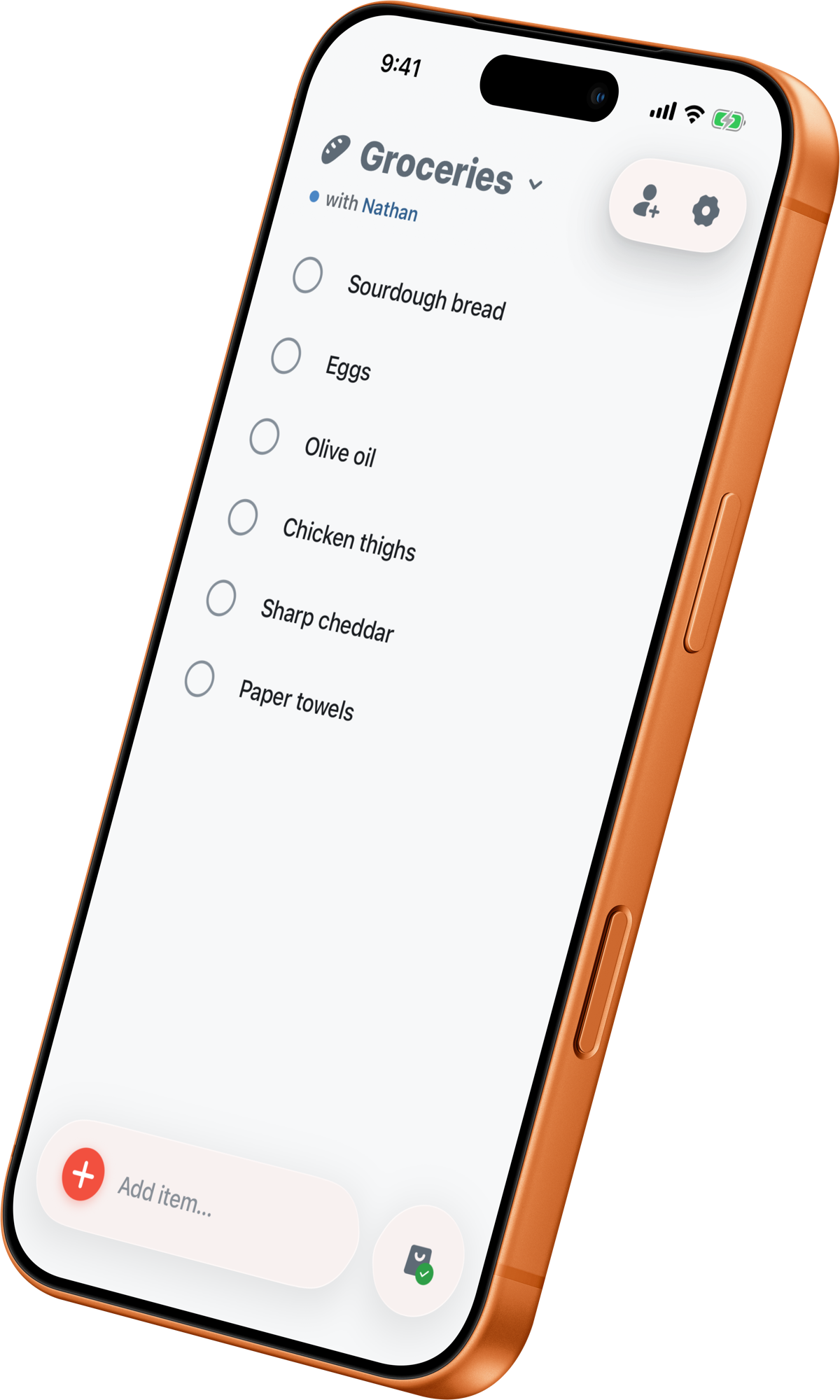
Three steps. That's the whole app.
No more “did we need milk?” texts. Open it, add what you need, and you both see it instantly.
Add it before you forget.
Start typing and Stores finishes it. It draws on what you've bought before and a built-in grocery list, so "mil" becomes Milk in a tap.
Share a list, instantly.
Send your partner a code. They're on the same list in seconds. Every add and check-off shows up for both of you. No contacts, no phone numbers, no spam.
Check things off as you go.
Tap to complete an item and it flies into the tray. Tag items by store, so you know to grab the cheese at Costco and the rest anywhere.
The small things add up.
Add by camera
Scan a barcode or snap a photo, and Stores fills in the name for you.
Repeats
The things you always buy come back on their own.
Recently deleted
Deleted by accident? It waits 30 days.
Due dates
What's due rises to the top. Overdue stands out.
Task lists
Not just groceries. Any list can be a to-do list.
Made for real groceries.
The list you both keep, from the pantry shelf to the checkout line.
Pay once. Stay private.
Stores is made by one person. You pay once, and that's the whole business. No subscription, no ads, and your data is never sold. Most of it even works without an account. Read the privacy policy →
Free does the job. The upgrade adds sharing.
Almost everything is free. One small payment unlocks sharing and a few extras — once, not every month.
| What you get | Free$0Forever | Pay onceUpgrade$4.99one time |
|---|---|---|
| Add, autocomplete & frequently-added | ||
| Check off, undo & 30-day recently deleted | ||
| Repeating items | ||
| Store tags & where to buy | ||
| Due dates | ||
| Task lists | ||
| Colors, icons & dark mode | ||
| Home-screen widget | ||
| Comments | On shared lists | |
| Number of lists | One | Unlimited |
| Share a list with anyone | ||
| Add by camera — scan or snap | ||
| Premium app icons |
- Add, autocomplete & frequently-added
- Check off, undo & 30-day recently deleted
- Repeating items
- Store tags & where to buy
- Due dates
- Task lists
- Colors, icons & dark mode
- Home-screen widget
- CommentsOn shared lists
- Number of listsOne
- Share a list with anyone
- Add by camera — scan or snap
- Premium app icons
- Share a list with anyone
- Unlimited lists
- Comments on every list
- Add by camera — scan or snap
- Premium app icons
Joining a shared list is always free — only the person sharing needs the upgrade, and it's covered by Family Sharing.
Pay once. Not a subscription.
Stores is $4.99, one time — no monthly fee, no yearly fee, ever. Most shopping and to-do apps charge a subscription that renews for as long as you use the app. Here's how that adds up.
Subscription shown at an illustrative $3/month — many charge more. Stores never charges again.
A heads-up when a list changes, and fixes
- Get a heads-up when your partner comments on an item or hands you a task. Open the list and it's waiting for you.
- Your other lists now show a badge when there's something new on them.
- Turn due dates on or off for each list, in list settings.
- A swipe that starts on the checkbox won't mark an item done by accident anymore.
New to Stores? Start here.
Quick guides to get you going, then the full help center whenever you need it.
Start your list.
Free to use. Add your partner whenever you're ready.